What WelcomeScreen does for short-term rental hosts: TV welcome screens, guidebook, AI messaging, supported devices and 2026 pricing.
Updated October 2026. Written and reviewed by the STR Market Superhost team. Prices checked on welcomescreen.com on October 23, 2026.
Disclosure: WelcomeScreen is STR Market's sister company. Features and prices below are taken from welcomescreen.com, and STR Market rankings are never paid.
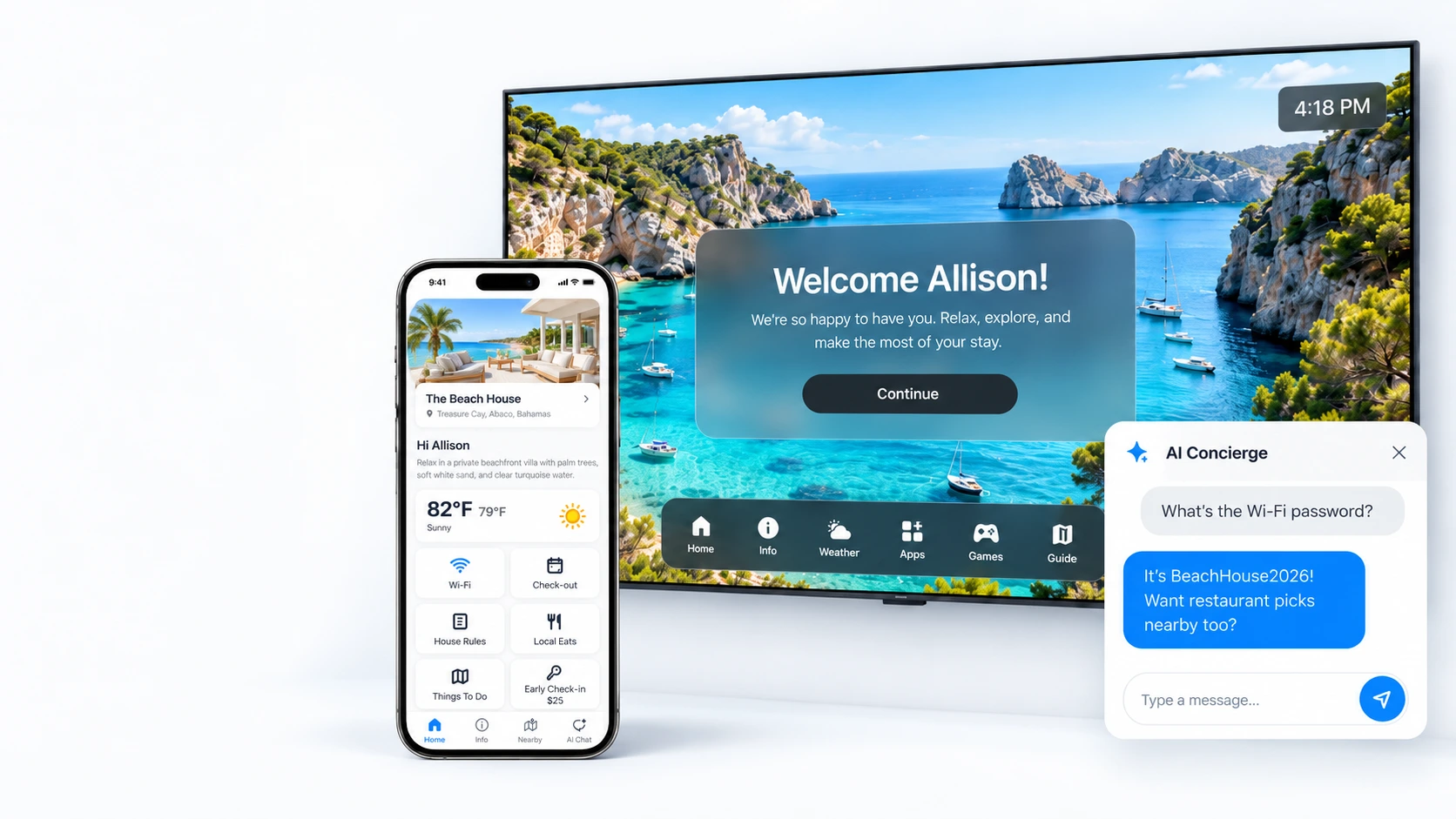
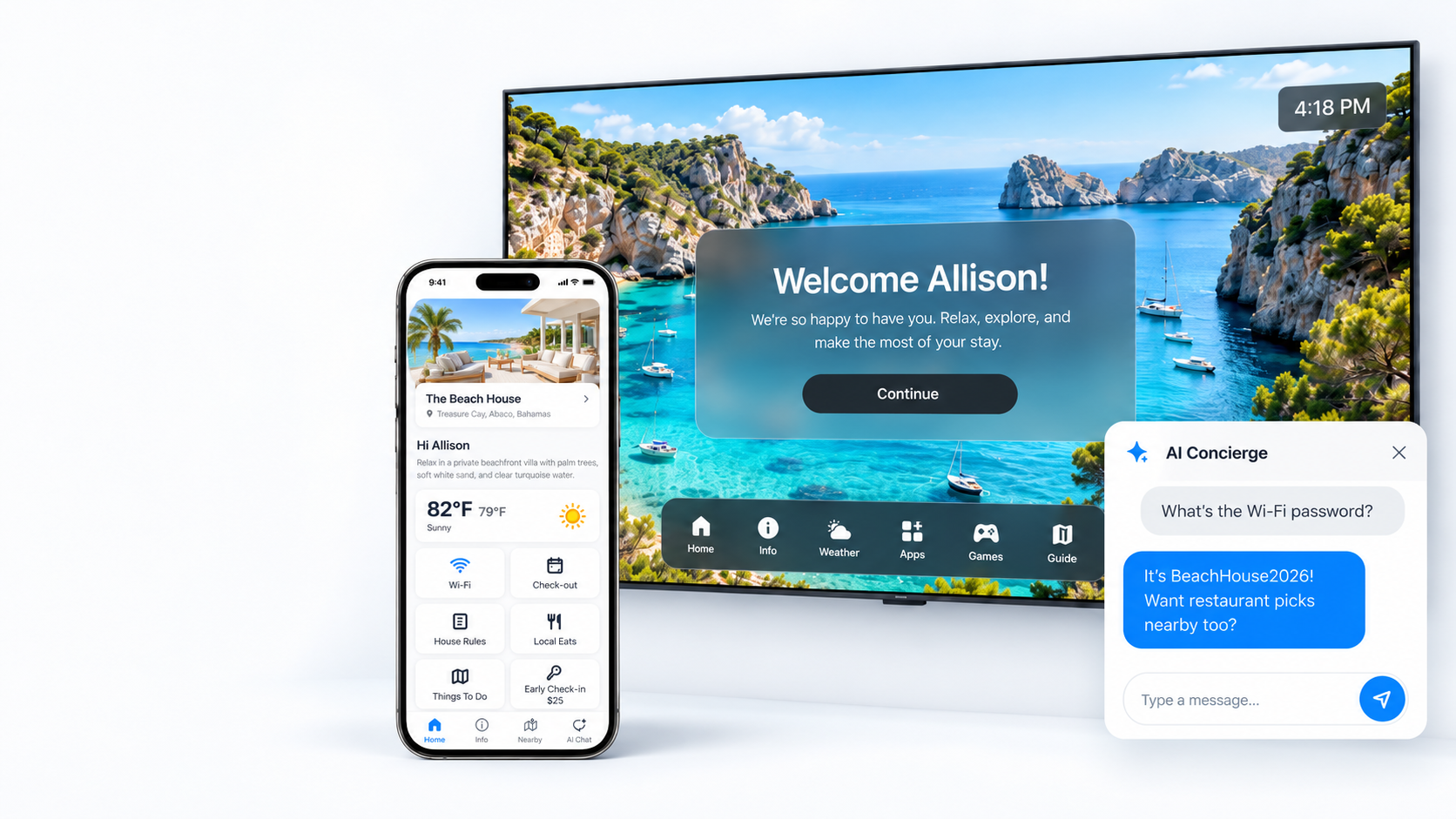
Most guests walk into a rental, drop their bags and turn to the TV. WelcomeScreen uses that moment. It turns the TV into a personal welcome screen with the guest's name, WiFi, house rules and local tips, then follows guests to their phone with a mobile guidebook and an AI concierge.
This guide explains what WelcomeScreen does, how setup works, which TVs and booking systems it supports, what it costs and who it suits, so you can decide if it fits your rentals.
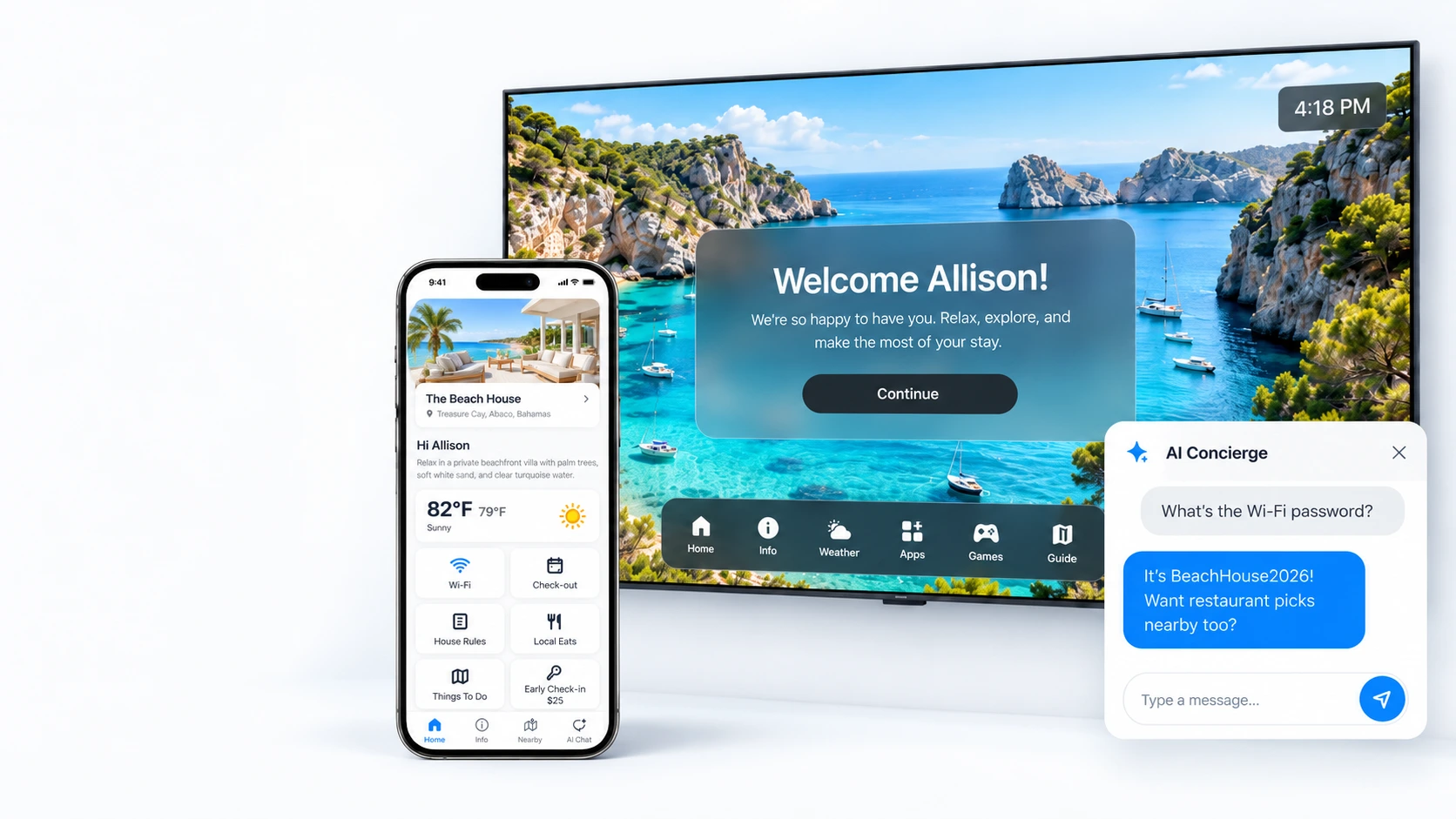
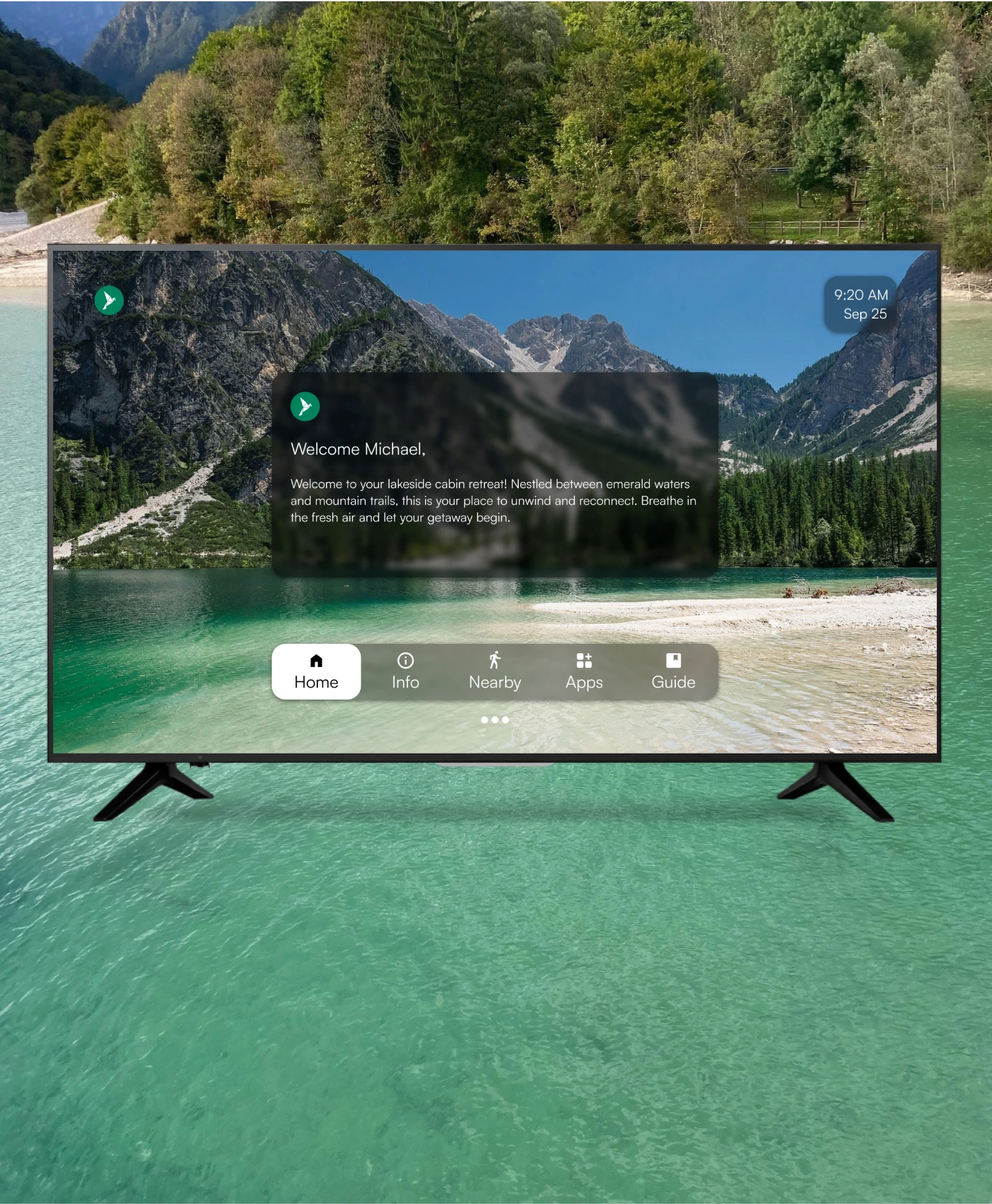
When guests turn on the TV, they see their name, check-in and checkout dates and WiFi details, with your logo and colors. Because it syncs with your booking system, names and dates update for every reservation without you touching it. Guests can still use their own streaming accounts as normal.
A guidebook that opens in the browser, with property details, house rules, check-in information, checkout steps and nearby recommendations. You can share it before arrival, and it includes an AI trip planner. See our guide to digital guidebooks for what to put in one.
The AI concierge answers common guest questions using the information you have already added, and AI Messaging can reply to booking messages, send check-in details and request reviews. WelcomeScreen says it hands questions back to you when it should.
The TV and guidebook show your house rules and checkout steps where guests actually look. For bookings made on or after November 20, 2026, Airbnb requires rules and checkout requests to be in your listing before booking, so use the screen to repeat them, not to add new ones. Our house rules templates and check-out instructions templates follow the new policy.
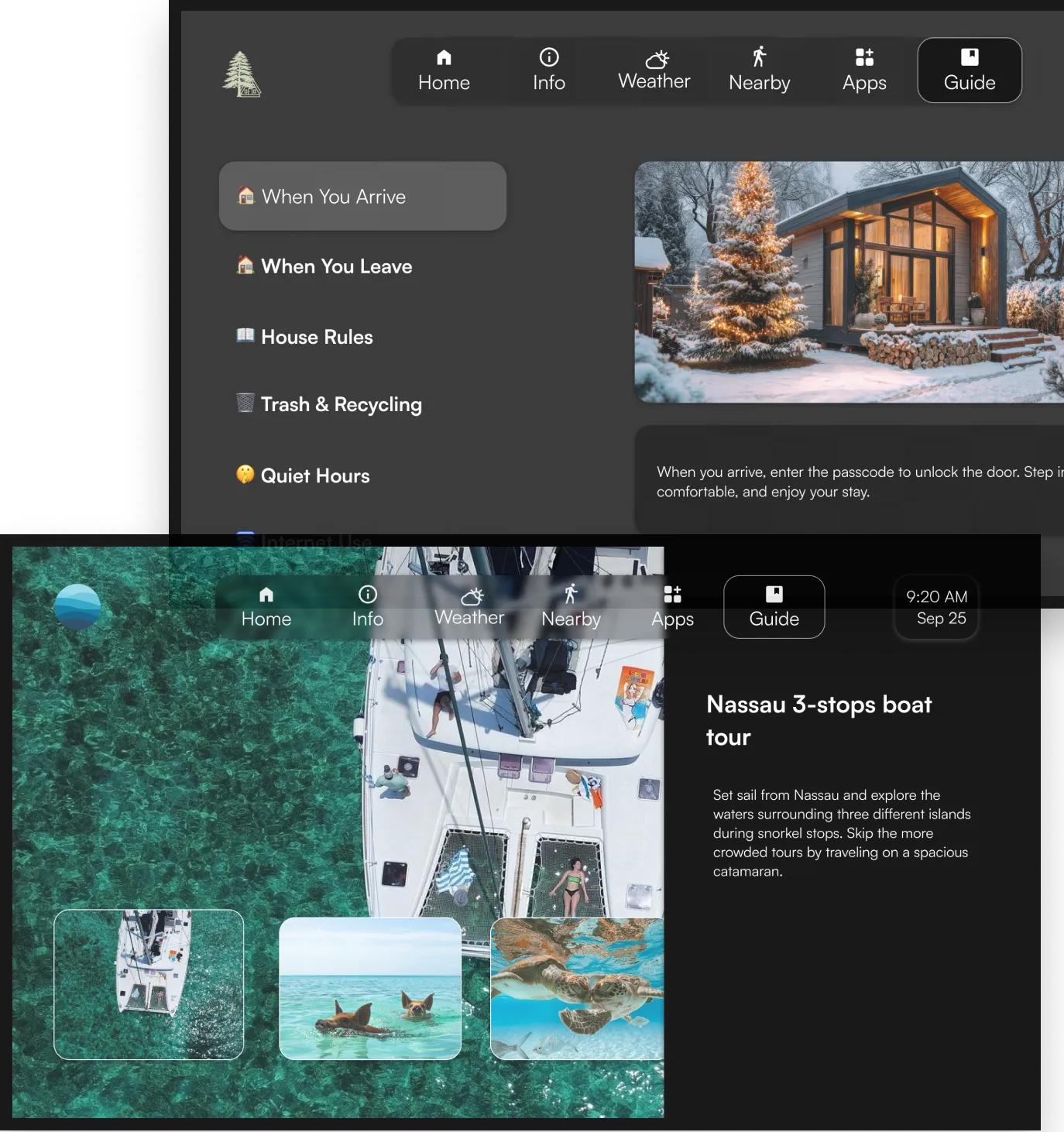
Managers can set branding, house rules and checkout steps once in a template and push them to every unit, then adjust individual properties as needed.
WelcomeScreen says setup takes around five minutes per unit and that no installer is needed. Someone does need to be at the property to install the app, which many hosts hand to their cleaner.
| Category | Supported | Notes |
|---|---|---|
| Streaming platforms | Google TV, Roku, Amazon Fire TV | Google TV is recommended: the welcome view opens when the guest turns on the TV. On Roku and Fire TV the app needs to be open on screen. |
| Booking systems | Airbnb, Hostaway, Guesty, Lodgify, OwnerRez, Beds24, Hospitable, Hostex | Syncs guest names, stay dates and checkout times |
| TVs per property | Unlimited | No extra charge for more TVs in the same property |

If a TV has no compatible streaming device, WelcomeScreen recommends a Google TV device such as the onn 4K streaming device. An Amazon Fire TV Stick 4K also works. See our Airbnb TV setup guide.
Prices are per listing per month on monthly billing, as listed on welcomescreen.com on October 23, 2026. Yearly billing and larger portfolios get lower per-listing rates.
| Plan | Includes | Starting price |
|---|---|---|
| TV App | Personalized TV welcome screen, property sync, local tips | $9.99/listing/month |
| Guidebook | Mobile guidebook with house rules, check-in info and local tips | $5.99/listing/month |
| AI Messaging | Automatic answers to routine guest questions | $4.99/listing/month |
| Pro | TV App and Guidebook, email support | $14.99/listing/month |
| Pro Plus | TV App, Guidebook and AI Messaging, priority support | $19.99/listing/month |
| Enterprise | All Pro Plus products, large-scale setup | Custom quote |
Confirm the current plan on the WelcomeScreen pricing page before you sign up, as prices and offers can change.
The idea behind WelcomeScreen is simple: put the information guests need where they will see it. Paper binders get ignored and messages get buried. A screen that greets guests by name and shows WiFi, house rules and checkout steps makes the first ten minutes of the stay smoother and keeps rules front of mind for the whole trip.
For hosts, the payoff is fewer repeat questions, more consistent information across every property and a channel for local recommendations, upsells and repeat bookings. As with any tool, results depend on how well you fill it in, so keep your house info, rules and local picks up to date.
WelcomeScreen is a guest experience platform for short-term rental hosts. It shows a personalized welcome screen on the TV, adds a mobile guidebook and offers AI guest messaging, all synced with Airbnb or your PMS.
The TV App starts at $9.99 per listing per month and the Guidebook at $5.99. The Pro bundle starts at $14.99 and Pro Plus, which adds AI Messaging, at $19.99 per listing per month, with lower rates for yearly billing and more listings.
It runs on Google TV, Roku and Amazon Fire TV devices. Google TV is recommended because the welcome screen opens when the guest turns on the TV. Any TV with an HDMI port can use a compatible streaming stick.
WelcomeScreen syncs with Airbnb and PMS platforms including Hostaway, Guesty, Lodgify, OwnerRez, Beds24, Hospitable and Hostex. Check welcomescreen.com for the current list.
Yes. Every plan has a free trial, so you can set up a property and test it before paying.
Yes. WelcomeScreen is STR Market's sister company. STR Market rankings are never paid, and you can compare other guest communication tools in our directory.
See the full WelcomeScreen listing, or compare alternatives in our guest communication software rankings.
