
How to set up a smart TV in your Airbnb: Fire TV vs Google TV vs Roku, protecting guest streaming accounts with Guest Mode, and making the TV open to a personal welcome screen.
The TV is one of the most used items in any rental, and one of the most common sources of guest questions. How do I log in to Netflix? Which remote works? Why is it asking for a PIN? And from the guest side: "Did I just leave my Netflix logged in at an Airbnb?"
Here is how to set up a smart TV for your Airbnb so it is easy for guests, safe for their accounts, and useful for you.
All three work well in rentals and cost little. The best choice is the one that is simplest for guests and supports the apps you want. Roku has a built-in Guest Mode for rentals, Google TV and Fire TV are popular for their app selection. If your TV is older, a streaming stick plugged into HDMI gives it a modern home screen.
Many hosts used to leave a shared account signed in. Streaming services have tightened account sharing rules, so the better option is letting guests sign in to their own accounts. The catch is making sure they sign out when they leave.
Roku Guest Mode lets guests sign in to their own streaming apps and signs them out automatically at check-out. It is one of the easiest ways to protect guest accounts. WelcomeScreen shows how to use it alongside a TV welcome screen in How To Use WelcomeScreen With Roku Guest Mode.
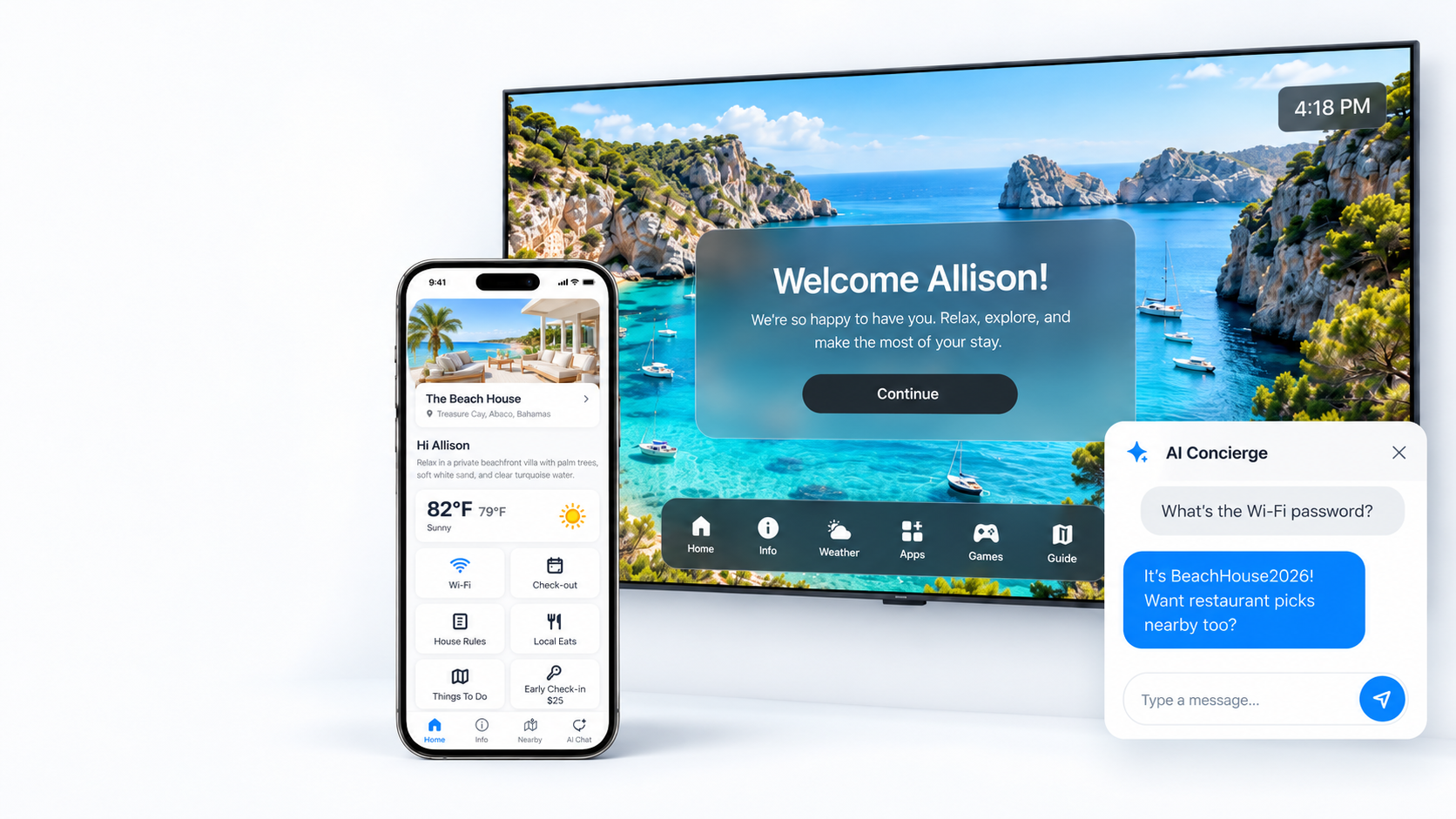
Instead of a random screensaver or the last show a guest watched, the TV can greet the next guest by name with WiFi, house rules and local tips. WelcomeScreen runs on Fire TV, Google TV and Roku, and can be set to open automatically when the TV turns on. See the setup in How To Set Up WelcomeScreen Automatic Turn On With Google TV.
Yes. Guests expect to stream their own shows, and a smart TV or streaming stick is one of the cheapest upgrades you can make.
Guests can sign out in the app settings, or sign out of all devices from their account online. Hosts can make this automatic with Roku Guest Mode.
A personal welcome with their name, the WiFi details and your house basics. Try WelcomeScreen free.
Part of the same family as WelcomeScreen and Valdra