How to prevent Airbnb parties: Airbnb's party policy, red flags, house rules, screening and noise tools, and what to do if a party starts.
Updated October 2026. Written and reviewed by the STR Market Superhost team. Software prices checked against our software listings on October 23, 2026.
One unauthorized party can cost you more than a month of bookings: damage, extra cleaning, angry neighbors, a complaint to the city and possibly your permit. The good news is that most parties are preventable, and Airbnb itself now screens for them and enforces a strict policy against disruptive gatherings.
This guide explains what Airbnb's rules actually say, the warning signs of a party booking, how to set up your listing and house rules, the tools that detect trouble early, and exactly what to do if a party starts anyway.
Airbnb's Community Disturbance Policy does not allow open-invite parties, disruptive gatherings or other community disturbances during a reservation. It covers:
Airbnb lists signs of a disruption such as excessive noise, trash, trespassing, smoking or parking nuisances and vandalism. Depending on severity, it may warn users, suspend or remove listings, or suspend or remove accounts. Airbnb also says it may block reservations it sees as higher risk for disruptive gatherings. Neighbors can also report problems directly to Airbnb's Neighborhood Support team.
Local rules matter too. Many cities set their own occupancy limits, quiet hours and penalties for nuisance rentals. Check your city's rules in our Airbnb rules and taxes by city guide and with your local permit office.
Airbnb's own tips to help prevent parties highlight several warning signs. Combine them with your own experience:
| Red flag | Why it matters | What to do |
|---|---|---|
| Local guest booking a large home | Locals rarely need a whole house for themselves | Ask about the purpose of the trip |
| One-night stay on a Friday or Saturday | Short weekend stays are a common party pattern | Consider a 2-night weekend minimum |
| Holidays and events | New Year's Eve, July 4th, Halloween, graduations, prom and big local events | Raise minimums and screen more carefully |
| Guest count that does not fit | 2 guests booking a 5-bedroom home, or the max count for a "quiet weekend" | Ask who is coming and why |
| Brand-new account, no reviews | Less history to judge by | Use screening and ask follow-up questions |
| Vague or evasive answers | Guests planning an event often avoid specifics | Decline or cancel within platform rules if it does not add up |
| Questions about speakers, pool hours or noise | Often a sign of an event | Restate house rules in writing |
Ask follow-up questions without assuming the worst. Most guests are exactly who they say they are.
Our Airbnb house rules template has wording you can copy, and you can repeat the key rules in your welcome message.
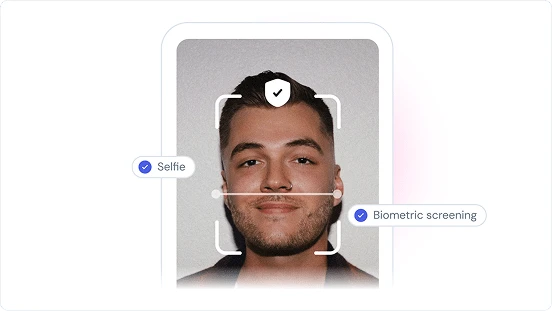
Screening tools check guest identity and booking risk before arrival, and some add damage protection.
See our guest screening and damage protection tools comparison.
Noise monitors measure decibel levels without recording conversations, and alert you when noise stays high. Airbnb allows them indoors if disclosed, but not in bedrooms, bathrooms or sleeping areas.
Under Airbnb's rules on cameras and devices, effective April 30, 2024, indoor security cameras are not allowed at all. Exterior cameras, such as a doorbell camera, are allowed if you disclose them in your listing and they do not cover private areas like an outdoor shower. A doorbell camera plus a smart lock with unique codes per stay lets you see how many people arrive and when. See our best smart locks for Airbnb.
Compare more in our legal and insurance tools and smart home and automation categories.
Airbnb notes that host damage protection is not an insurance policy. Make sure your own insurance covers short-term rental use, liability and damage from guests. Short-term rental insurers such as Proper Insurance and Steadily quote by property. Some cities also require a minimum liability amount for rental permits.
No. Airbnb's Community Disturbance Policy bans open-invite parties and disruptive gatherings of any size, and listings cannot be advertised as party friendly.
Not indoors. Airbnb does not allow indoor security cameras, even if they are turned off. You can use disclosed exterior cameras, such as a doorbell camera, and disclosed indoor noise monitors that measure decibels without recording audio, as long as they are not in bedrooms, bathrooms or sleeping areas.
Message the guest in the Airbnb app, contact Airbnb Support with any evidence, and call local emergency services if anyone is at risk. Avoid confronting a crowd in person.
You should first request payment from the guest through the Resolution Center. If the guest does not pay, Airbnb's host damage protection may reimburse certain damage, subject to its terms. File within 14 days of the reservation ending and keep detailed evidence.
Watch for local guests, one-night weekend stays, holidays, guest counts that do not fit the home, new accounts and vague answers. Use guest screening, weekend minimums and clear house rules to reduce the risk.
Browse noise monitoring, screening and insurance tools in our legal and insurance tools rankings, or find a local co-host who can respond in person in the services directory.
